Bad experience with SAML: how we spent a month and a half developing a solution that had to be disabled
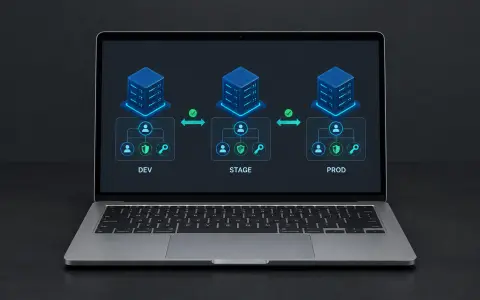
The company had an Active Directory portal, and the business wanted single sign-on via SAML 2.0. We integrated the `aacotroneo/laravel-saml2` package, but users had to authenticate twice: in our service and on the portal. A week after launch, most employees complained, and we eventually disabled the solution. Here’s what went wrong and what we learned.

Context: A Portal on Active Directory and Our Authentication Service
This is a continuation of our story about building an authentication service. Here’s a quick recap of the context.
The company had a portal used by some of its employees. Their computers were managed through Active Directory. Employees logged in to both their computers and the portal using a username (not an email address) and password.
Our authentication application worked differently. Users could sign in using:
-
Email and password;
-
Phone number and SMS code;
-
A combination of multiple authentication factors.
The business made a decision: we needed to implement single sign-on through Active Directory using SAML 2.0. The idea made sense — employees should be able to access services using their work accounts without having to manage additional passwords.
Our team had never tackled this kind of integration before. We had previously used SAML only with Google.
What Is SAML 2.0?
SAML 2.0 is an XML-based protocol for exchanging authentication information between an Identity Provider (IdP) and a Service Provider (SP).
Here’s how it typically works:
-
A user attempts to access a service (SP).
-
The service redirects the user to the Identity Provider.
-
The user enters their username and password on the IdP side.
-
The IdP verifies the credentials and sends a SAML assertion — an XML document confirming the user's identity — back to the service.
-
The service trusts the IdP and grants the user access.
The key principle: authentication takes place on the IdP side. The service does not store the user's password; it trusts the assertion issued by the IdP.
And this is where the problem lay — one the business had overlooked.
Our Implementation: The Package and Configuration
We evaluated existing packages to avoid writing all the integration code from scratch. We chose aacotroneo/laravel-saml2.
Why this package?
-
It provides the necessary routes, including metadata, ACS, and SLS.
-
It supports configuring the exchange through XML configuration.
-
It allows SAML to be integrated with our existing logic and conditional authentication flows.
An important constraint: external users did not need SAML. Its purpose was to provide single sign-on exclusively for internal employees. We therefore implemented conditional routing: internal employees were redirected to the portal, while external users continued through the standard authentication flow.
The team responsible for the Active Directory side customized the XML exchange format to meet our requirements. We launched the integration.
How It Worked: Technical Details
Let's walk through the complete sign-in flow for an internal employee.
Step 1. Initial Identification in Our Service
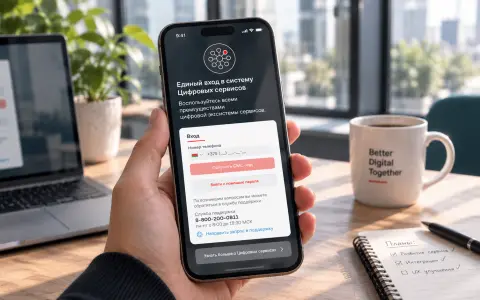
The user opened our authentication service's sign-in page and entered an email address and password or a phone number. This was the first authentication step in our flow.
Why was this necessary? We needed to determine whether the user should authenticate through SAML. If the user was an internal employee, the system recognized this and redirected them to the portal.
Step 2. Redirecting to the Portal with an XML Payload
We sent the user to the portal with an XML payload containing the user's information. The portal received the data and displayed its own sign-in form.
Step 3. Entering the Portal Credentials
The user entered their portal username (not an email address) and password. This was a second authentication step.
Step 4. SAML Response and Sign-In
The portal (IdP) verified the credentials and sent a SAML assertion back to our service. We validated the assertion and completed the sign-in process.
The session remained active for the employee's working day.
Technically, everything was configured correctly. SAML worked. But from a user experience perspective, the implementation was a failure.
The Problem: Two Authentication Steps Instead of One
A week after launch, complaints started coming in. Most internal employees reported that we hadn't made their work easier — we'd made it harder.
Here's what happened in practice:
To access any of the services, an employee had to:
-
Authenticate with our authentication service using an email and password or a phone number.
-
Enter their portal username and password.
Two separate authentication steps. Two different sets of credentials.
The business had expected authentication to happen at a single entry point, with users entering their credentials only once. That wasn't what we delivered.
Why It Happened: A Limitation That Wasn't Heard
Our team and the architect had communicated this limitation to the business before development began.
The limitation was straightforward:
With SAML, authentication takes place on the Identity Provider's side — in our case, the portal. But before redirecting a user to the portal, our service first had to identify them somehow so it could determine whether they were an internal employee who needed to be redirected to the IdP.
This created two entry points:
-
Our service, where the user was initially identified;
-
The portal, where the primary authentication through SAML took place.
We warned the business that users would have to go through two separate authentication steps. But the message didn't get through.
This wasn't a technical mistake. It was a misunderstanding between the business and technical reality. The business wanted a single entry point, but SAML, within this particular architecture, didn't provide one.
The Outcome: Six Weeks of Development, Then Decommissioning
We spent a month and a half developing a solution that we eventually had to disable and abandon.
What we gained:
-
Hands-on experience with SAML 2.0 and the
aacotroneo/laravel-saml2package. -
A better understanding of the protocol's limitations in the context of user experience.
-
A lesson in the importance of communicating technical constraints to the business in business terms.
What it cost us:
-
A month and a half of engineering time.
-
Negative employee feedback and a week of complaints.
-
The effort required to roll back the solution. Fortunately, the flexible configuration we had implemented allowed us to roll it back quickly.
What We Learned from This Experience
1. SAML Is Not a "One-Click Sign-In" Solution
SAML solves the problem of federated authentication, but it doesn't eliminate the need for initial identification if your service must determine where to redirect the user. If the business wants a single entry point, there are two main options:
-
Make the portal the single entry point, so users go directly to the portal.
-
Accept two authentication steps as a consequence of the chosen architecture.
2. Technical Constraints Must Be Communicated in Business Terms
We gave the business a warning, but apparently not a clear enough one.
The lesson: when explaining a technical limitation, demonstrate the actual user journey rather than just presenting a technical diagram.
"Users will have to enter their credentials twice" is much easier to understand than "SAML requires initial identification on the SP side."
3. If the Message Isn't Heard, the Team Shares Some Responsibility
If the business didn't understand the implications, we failed to explain them effectively enough.
It's an uncomfortable but important conclusion: being technically correct doesn't prevent a project from failing if the customer doesn't understand the consequences.
4. A Failed Attempt Is Still Valuable Experience
We gained practical expertise that's not easy to acquire: configuring SAML with Active Directory, working with aacotroneo/laravel-saml2, and understanding the XML exchange.
The next time we encounter a SAML integration project, we'll know not only how to implement it, but also which pitfalls to avoid.
SAML Technical Details Worth Knowing
For anyone facing a similar challenge, here are a few important concepts.
Identity Provider (IdP) — the party responsible for authenticating the user. In our case, this was the portal backed by Active Directory.
Service Provider (SP) — the party that trusts the IdP's authentication result. In our case, this was our authentication service.
SAML Assertion — an XML document issued by the IdP to the SP. It contains confirmation of the user's identity and may include attributes such as email address and roles.
ACS (Assertion Consumer Service) — an endpoint on the SP side where the IdP sends the SAML assertion. The aacotroneo/laravel-saml2 package creates this route automatically.
Metadata — an XML document containing the SP's or IdP's configuration details, including URLs, certificates, and other parameters required for the exchange. In this package, metadata is available at the /{idpName}/metadata route.
SAML implementation challenges to keep in mind:
-
Complex configuration involving XML, metadata, and certificates.
-
Difficult debugging, as errors involving XML signatures are not always immediately obvious.
-
Limited flexibility when it comes to designing certain user authentication flows.
Conclusion
This story is about how a technically correct solution can fail from a user experience perspective.
SAML worked. But instead of simplifying their work, employees ended up having to authenticate twice — and their frustration was justified.
We had warned the business, but the implications hadn't been understood. The result was six weeks of development followed by decommissioning the solution.
It was an important lesson for our team, and we hope it will be useful to anyone considering SAML for their own infrastructure.